Start with your music
Bring the score for a piece you already want to hear under your fingers.
A piano practice companion
Bring a piece you love. KeySymphony shows its score above a piano keyboard and lights the next notes. In Wait Mode the music holds until you play them on your MIDI keyboard.
For adult learners and returning players. In development, not yet available.

A page of notes can feel like a lot to hold at once. KeySymphony brings the score, playback and a piano keyboard into the same practice loop—so you can listen, try a small phrase, and find your way forward one note at a time. Some pieces take patience; others are waiting for you after a long break. There’s no rush to the last note.
Your score to your hands
Bring a piece you care about. KeySymphony gives you a few clear ways to meet it.
Bring the score for a piece you already want to hear under your fingers.
Listen to the piece, learn notes step by step, or play along. Give a tricky passage the time and focus it needs.
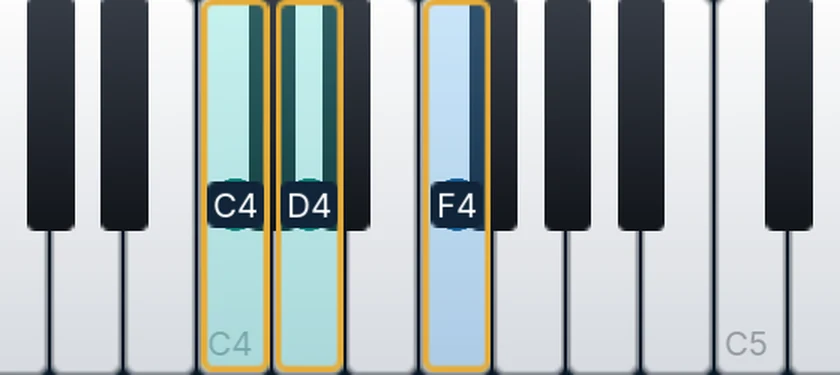
See the score and keyboard together. In Wait Mode the next notes light up, and the music waits until you play them on your MIDI keyboard.
Before you begin
The short version of what KeySymphony is being built to do.
KeySymphony is built around piano scores in MusicXML (.musicxml) and compressed MusicXML (.mxl). PDF pages, photos, MIDI files and audio recordings aren’t score imports. Supported notation depends on the structure of each score.
A MIDI keyboard is the heart of the play-along experience. You can still explore a score and hear playback without one; modes that respond to the notes you play need MIDI input.
KeySymphony is still a work in progress. The practice experience and supported platforms are being refined before a public launch.
For adults learning piano and players returning after time away—especially people who want to practice with their own sheet music instead of starting from someone else’s song list.
Your next phrase is waiting